5 Start and End Dates
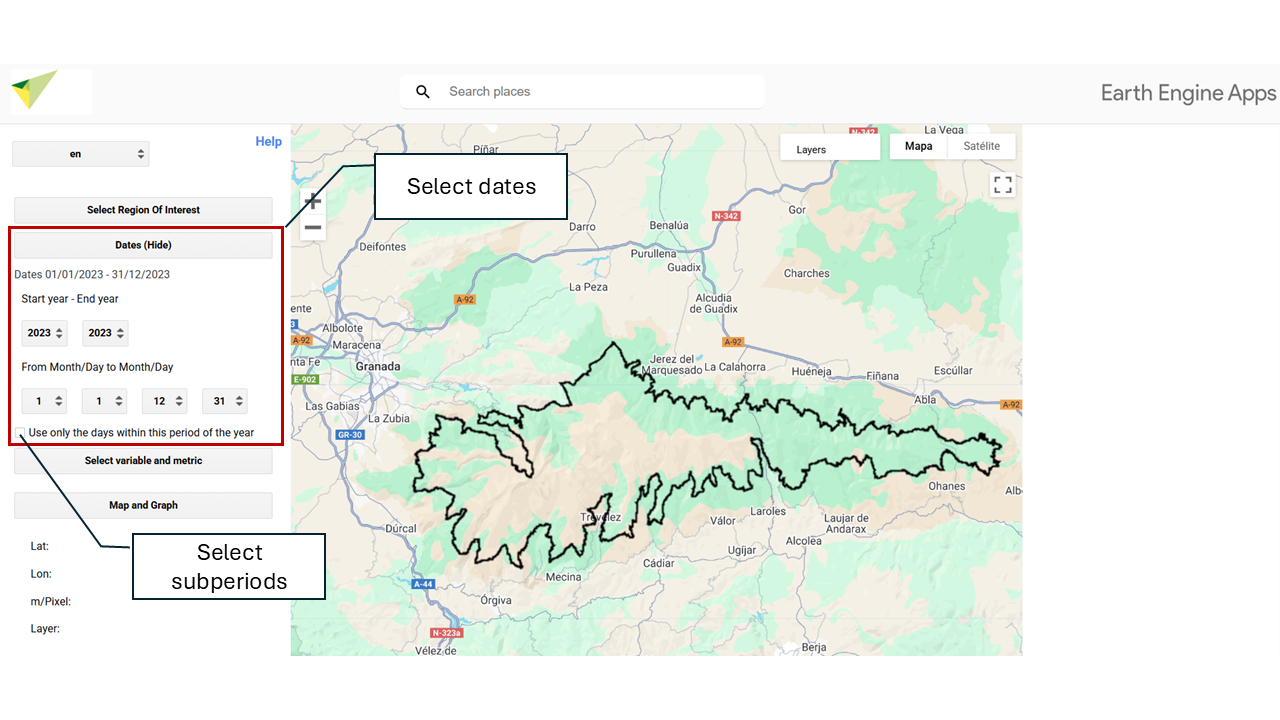
Choose the date range for your calculations. First, set the start year and end year. Then, select the start month and day, as well as the end month and day to define the analysis period.
5.1 📆 Selection of a Specific Interval
The tool allows you to select a specific interval within the year to perform a seasonal analysis.
By enabling the option “Use only the days of this period of the year”, a date range is defined (for example, from March 21 to September 21) that will be applied to each year of the selected period (for example, from 2001 to 2020).
This makes it possible to analyze only certain months or seasons, such as spring, summer, or growing seasons.
If you select:
- Start year: 2001
- End year: 2020
- From: 21/03
- To: 21/09
Only the days between March 21 and September 21 in each of those years will be analyzed, excluding the rest.